User Authorization Information
User Authorization Information
The Licensing Tool shall only be used by authorized persons in your company. It provides a User Login shown on start-up by default. Authorized users can login with their user name and password.
Adding Users
In this initialization phase of the Licensing Tool a couple of users can be pre-defined with user name and password. If you require further users later on, you may contact labCognition to add them to your access profile.
Adding users to your profile is performed as follows:
-
Enter a user name (first name plus last name) into the User field.
-
Enter a password into the Password field.
The password is shown without encryption and cannot be changed by the user later on.
The form looks like this: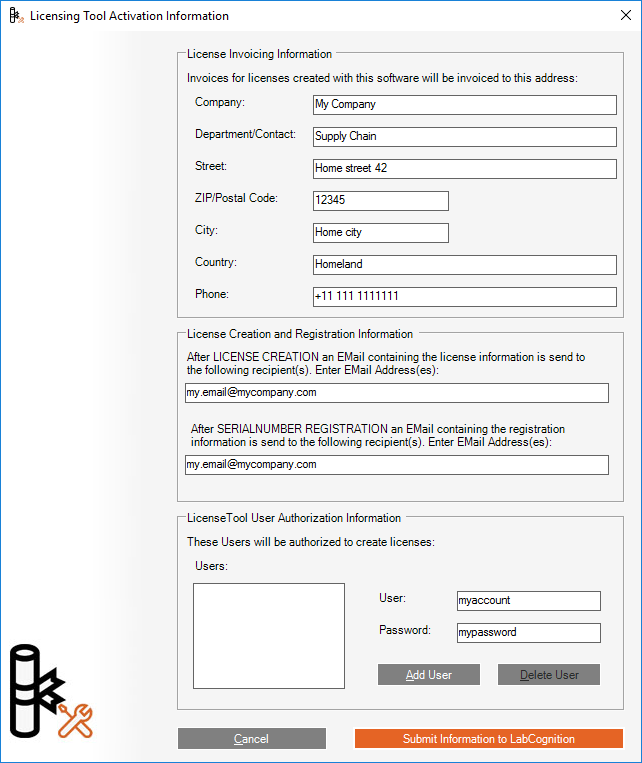
-
Click the Add User Button to add the current user.
Repeat the steps above to add further users.
Deleting Users
To delete a user from the list, do the following:
-
Click the user name to be deleted in the list on bottom left of the dialog.
-
Click the Delete User Button.
The user will be deleted without further notification.